TikTok Ads
TikTok Pangle invalid traffic: how to check placements and when to turn Pangle off
TikTok Pangle invalid traffic: what Pangle (now TikTok Ad Network) is, what TikTok says it filters, how to compare placements and when to turn Pangle off.
- By
- Adjira team
- Published
- Reading time
- 6 min read
TikTok Pangle invalid traffic is a common worry for advertisers who see cheap clicks from TikTok campaigns that never turn into sales. Pangle, now called TikTok Ad Network, places your ads in other apps rather than in the TikTok feed. It can extend reach at a low cost. It also puts your ads in places you see less of, and that makes it harder to judge the traffic.
This guide explains what Pangle is according to TikTok's own help pages, what TikTok says it does about invalid traffic, how to compare placement results yourself, and when turning Pangle off is the right call.
What Pangle is
TikTok describes TikTok Ad Network (formerly TikTok Pangle) as "the ad network of TikTok for Business", running ads across a network it puts at nearly 400,000 apps worldwide in more than 40 gaming and non-gaming genres (TikTok for Business: About TikTok Ad Network). Ads there run inside those partner apps, not in the TikTok feed.
TikTok lists the placements you can use as TikTok itself (including TikTok Lite and other TikTok apps where available), Global App Bundle, which places ads on apps such as CapCut and Fizzo, and TikTok Ad Network, with availability varying by country and objective (TikTok for Business: About eligible placement).
Two details matter for what follows:
- Placement is fixed per ad group. TikTok says "Your placement is selected when creating an ad group and cannot be changed after it has been created." To compare placements, you create separate ad groups.
- Automatic placement spreads budget. TikTok says its system uses "smart calculations to give you the best combination of ad placements across all apps", allocating budget by placement performance. Performance here means the event you optimize for, which may not be the outcome you care about.
What TikTok says about Pangle invalid traffic
TikTok describes invalid traffic as "activity on a platform that's created by non-human entities such as bots and automated scripts", and says it addresses it "through third-party anti-fraud certifications and IVT measurement solutions" (TikTok for Business: About TikTok invalid traffic solutions). For TikTok Ad Network specifically, its help page says the network validates traffic authenticity and stops fraudulent traffic in real time, and offers brand safety through post-bid measurement from DoubleVerify and Integral Ad Science.
So TikTok does filter. As with every platform, the filtering judges the impression and the click. It does not see what happened on your website afterwards. That is the part you can check yourself.
Why TikTok Pangle invalid traffic is hard to judge
Even with filtering, partner app placements have features that make results harder to read:
- Accidental taps. In-app ads, especially in games, sit near buttons and appear between levels. Accidental taps are not fraud, but they are not interest either.
- Varied app quality. A network of many apps includes some that send good traffic and some that do not.
- Cheap clicks win. If an ad group optimizes for clicks, delivery drifts to wherever clicks are cheapest. That is often partner app inventory.
- Less context. You see the placement, not much about the app your ad appeared in.
None of these means Pangle is bad for your account. They mean you need to measure it rather than assume.
How to check placement results yourself
1. Split placements into separate ad groups
Because placement cannot be changed after an ad group is created, build a fair test: one ad group on TikTok only, and one on TikTok Ad Network only, with the same audience, creative, budget and optimization event. Avoid comparing an automatic placement ad group with a TikTok only one, because the automatic one mixes both.
2. Tag every ad
Add UTM parameters that include the placement, and keep the ttclid click identifier on your landing pages. That lets you tie website visits back to each ad group.
3. Compare more than clicks
For each ad group, compare clicks in TikTok Ads Manager with sessions in your analytics, then look at engagement and conversions per session. A placement with a low cost per click and very few engaged sessions is more expensive than it looks.
4. Look at the visits behind the clicks
On your site, check the paid visits from each ad group: the network operator behind each IP address, whether the browser time zone matches the IP location, signs of automation, and whether the same device appears again and again. Our guide on TikTok ads click fraud covers these checks in more detail.
5. Give it enough time
Run the test long enough for both ad groups to leave the learning phase and collect a meaningful number of conversions before deciding.
When to turn Pangle off
Turn TikTok Ad Network off for an ad group, or keep it out of new ones, when:
- Its sessions engage far less than TikTok placement sessions with the same creative.
- Its cost per conversion, measured on your site, is clearly worse.
- Its visits show automation, hosting networks or repeated devices more often than your other paid traffic.
- Your brand needs tighter control over where ads appear.
Keep it when it brings conversions at an acceptable cost. Some advertisers find partner app traffic worthwhile, especially for app installs and gaming.
If you want to keep Pangle but avoid specific apps, TikTok offers a block list under Tools, then TikTok Ad Network (or Pangle) brand safety. TikTok notes that "Using a block list may result in fewer ad impressions and potentially poorer performance due to less traffic" (TikTok for Business: How to use the TikTok Ad Network block list).
Where Adjira helps
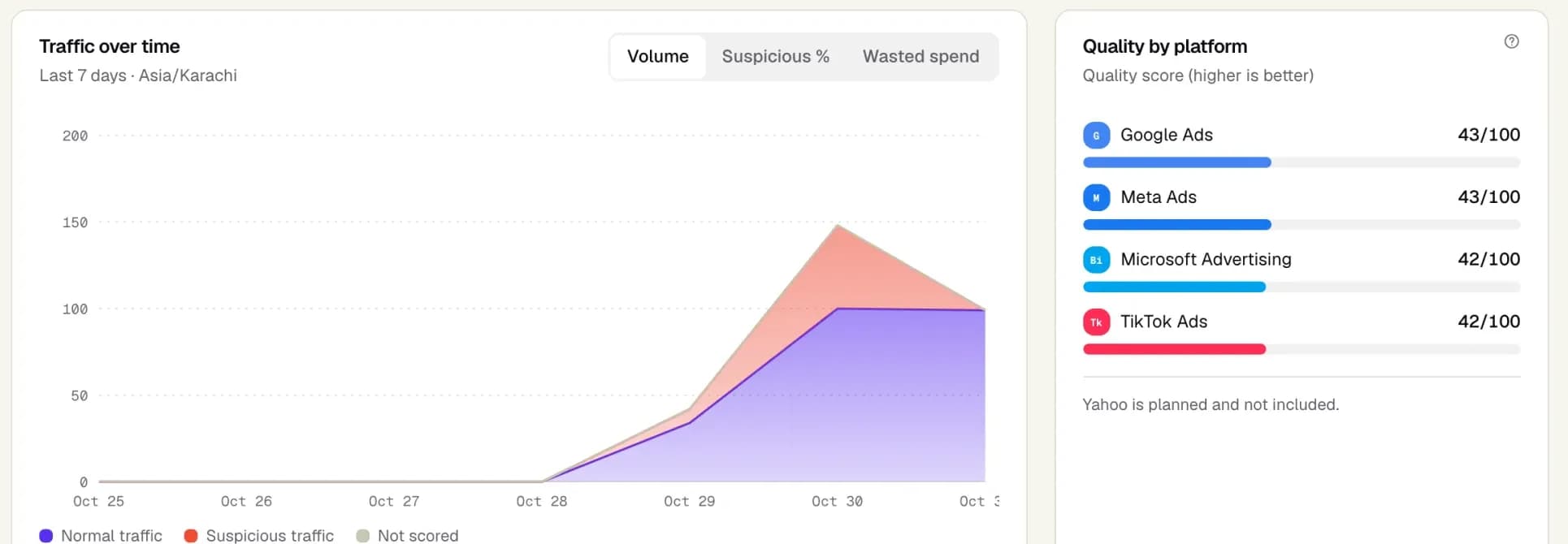
Adjira connects to TikTok Ads read-only and attributes visits to campaigns from the click identifier. For each paid session it builds a fraud risk score with evidence, runs network checks and links visits from the same device. A separate visitor quality score tells you whether the visit mattered, so cheap but harmless partner traffic is not confused with an attack. The campaign and platform comparison puts TikTok next to Google Ads, Meta and Microsoft Advertising.
Adjira does not change TikTok placements or push exclusions to TikTok, because TikTok's API does not support the exclusion lists Adjira can write to Google Ads and Microsoft Advertising. It gives you the evidence; you make the change in TikTok Ads Manager. The same placement question exists on Meta, covered in our guide to Advantage+ bot traffic.
Frequently asked questions
What is TikTok Pangle?
Pangle, now called TikTok Ad Network, is the ad network of TikTok for Business. It shows your ads inside partner apps outside the TikTok feed, across a large network of gaming and non-gaming apps.
Does TikTok filter invalid traffic on Pangle?
TikTok says it addresses invalid traffic through third-party anti-fraud certifications and measurement solutions, and that TikTok Ad Network validates traffic authenticity and stops fraudulent traffic in real time. Checking visits on your own site shows what gets through.
How do I turn off Pangle on TikTok ads?
Placement is set when you create an ad group and cannot be changed later. Create a new ad group that selects only the placements you want, without TikTok Ad Network, and pause the old one.
Should I use the TikTok Ad Network block list?
Use it when specific apps send poor traffic but the network as a whole performs. TikTok notes that a block list may reduce impressions and performance because it reduces traffic, so review results after adding to it.
How do I compare Pangle with TikTok placements fairly?
Create two ad groups with the same audience, creative, budget and optimization event, one on TikTok only and one on TikTok Ad Network only. Compare engaged sessions and conversions on your website, not only clicks.