Skip to content

Solutions · Enterprise

Many sites, many ad accounts, one invalid traffic standard.

Invalid traffic monitoring across many websites and ad accounts, with one set of rules, roles and retention controls. We do not claim security certifications yet; the security page explains exactly how data is handled.

What you get

  • Many websites and ad accounts in one workspace
  • Role-based access and two-step sign in
  • A data processing agreement for every customer
  • Protection rules applied the same way everywhere

The features that matter most here

Protection rules and reviewed exclusions

Why it matters: Manual review does not scale past a few campaigns.

Write rules as a condition and an action: alert the team, queue a review, or propose an exclusion. Test a rule against the last 7 days before switching it on. Exclusion lists for Google Ads are applied only after you grant write access and a person confirms each change; for Microsoft Advertising, Adjira prepares the reviewed list for you to paste.

  • Three protection modes: monitor only, alert and review, provider actions
  • Rules tested against past traffic first
  • No change to an ad account without confirmation
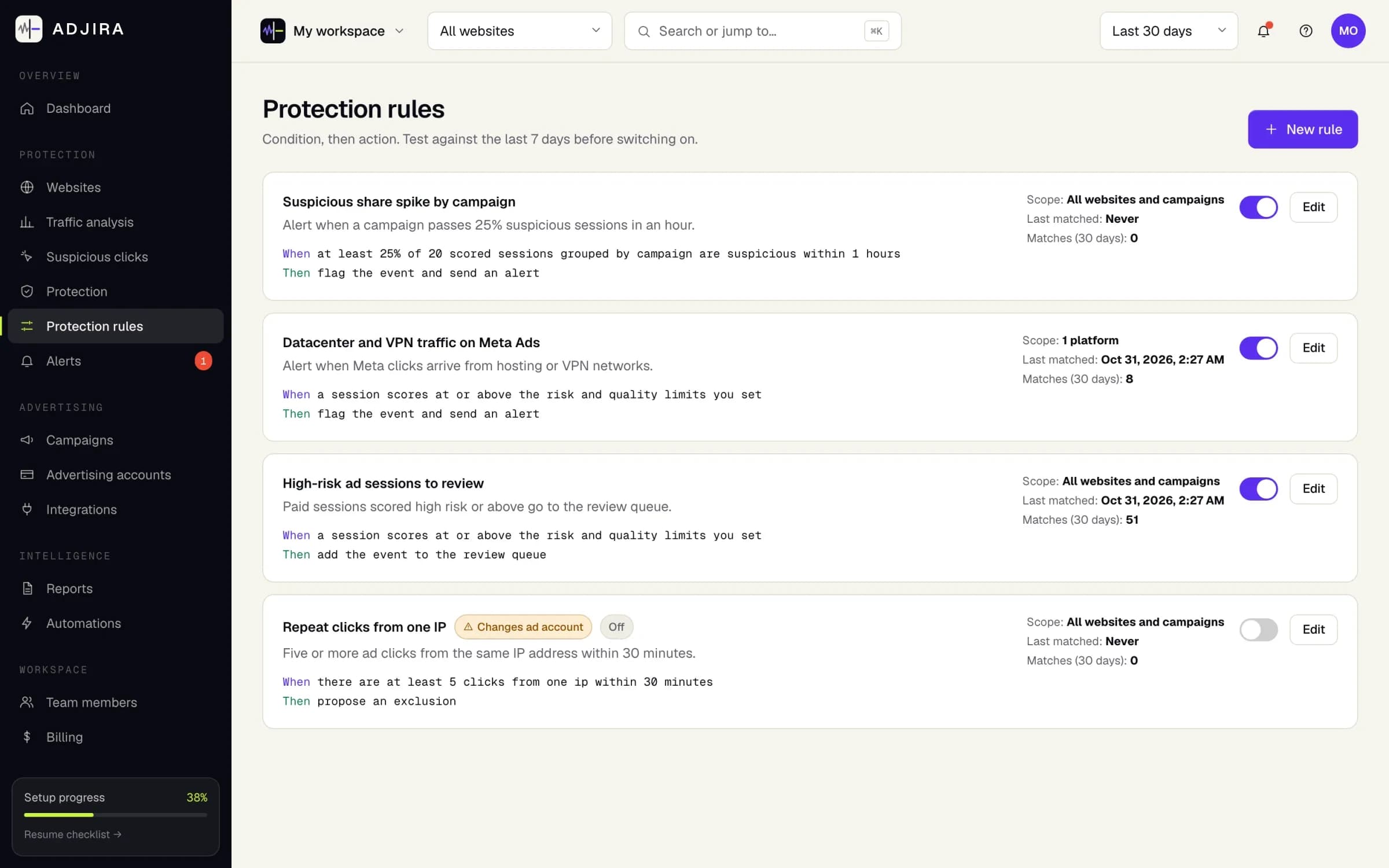
Protection rules in Adjira, each written as a condition and an action, some switched on and one switched off.
Example dataScreenshot from an example workspace.

VPN, proxy and datacenter traffic detection

Why it matters: Traffic from hosting networks and anonymizers hides where it really comes from.

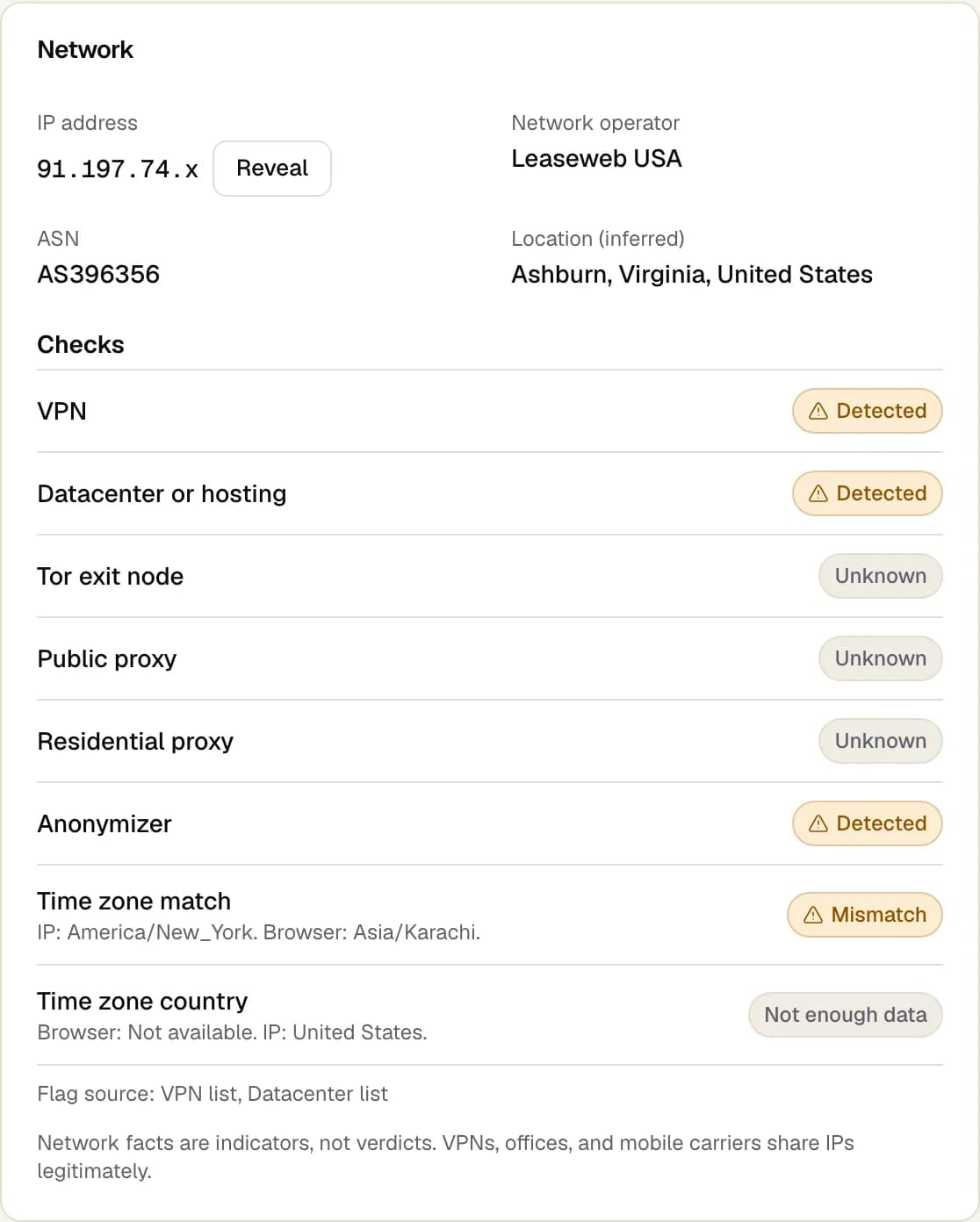
Each session runs eight network checks: VPN, datacenter or hosting, Tor exit node, public proxy, residential proxy, anonymizer, time zone match and time zone country. Results read in plain English, and network facts are treated as indicators, never as verdicts on their own.

  • Browser time zone compared with the IP address location
  • Network operator and ASN for every visit
  • IP addresses masked by default, revealed on request
Network checks on a session: the network operator and location, then VPN, datacenter, Tor, proxy, anonymizer and time zone checks.
Example dataScreenshot from an example workspace.

Same person across devices and VPNs

Why it matters: Repeat clickers switch devices and networks so every click looks new.

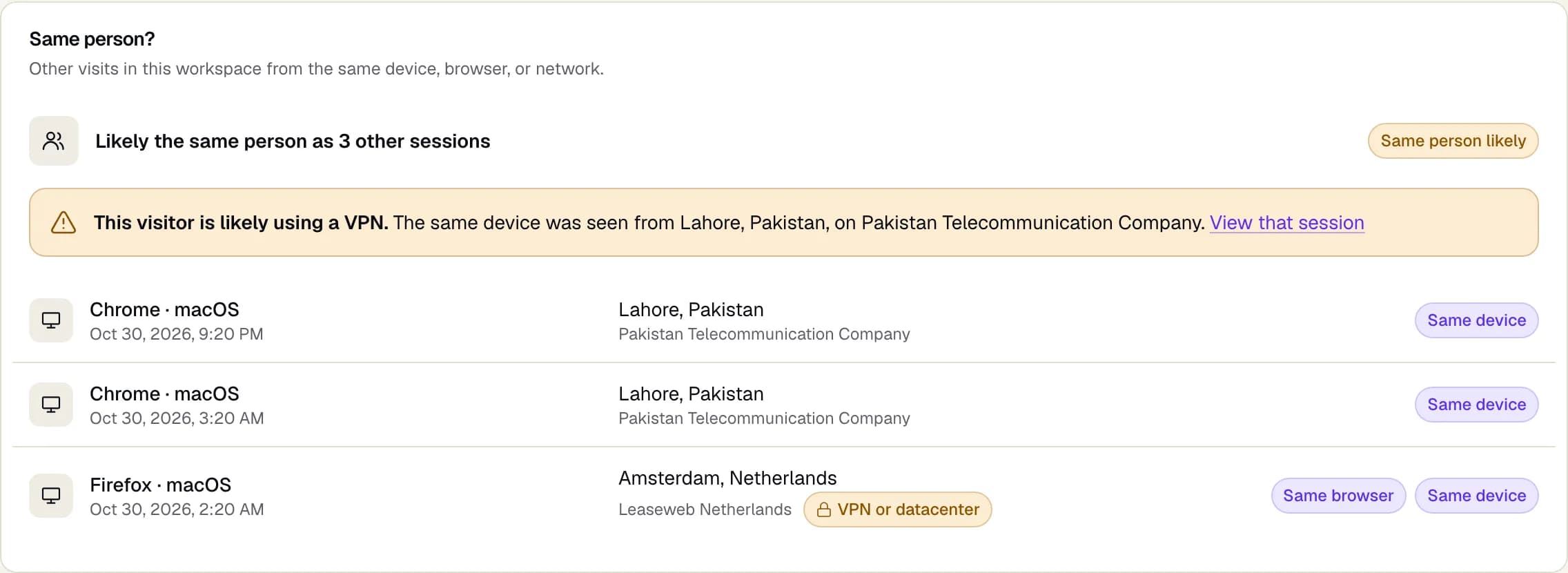
Adjira links visits in your workspace that share a device, a browser or a home or office network. When the same device shows up from a different country or network operator, the session warns that the visitor is likely using a VPN and links to the other visit.

  • Same device, same browser and same network matches
  • A likely VPN warning with the place and network it came from
  • One click to every linked session
The Same person? panel on a session: other visits from the same device, browser or network, with a warning that the visitor is likely using a VPN.
Example dataScreenshot from an example workspace.

Questions

Can we monitor many websites and ad accounts in one place?

Yes. One workspace holds many websites and ad accounts, with the same protection rules applied to each and role-based access for your team.

Does Adjira hold security certifications?

Not yet, and we do not claim any. The security page explains how data is handled, including encrypted and masked IP addresses, read-only ad access and two-step sign in.

Is there a data processing agreement?

Yes. Every customer is covered by a data processing agreement, and every vendor that processes customer data is listed on the subprocessors page.

Make every ad dollar count.

Install in minutes, connect your ad accounts read-only, and see your first scored sessions as soon as paid traffic lands.